
12 Essential Small Business Tools Every Business Needs in 2026
Listen to this article
Small and home businesses require the necessary small business tools to stay effective and productive in today’s fast-paced and competitive business scene. Choosing the correct software is one of the most important components of running a successful business.
What tools does every small business need? Most small businesses need an office suite, accounting software, a CRM, email marketing, a website builder, and security and backup tools. Add project management, inventory, POS and social media tools as the business grows. Start with free plans or trials, and upgrade only when a tool clearly saves time or money.
Updated for 2026: Product names, features and plans in this guide reflect current offerings. To get more out of these tools, see our guides to choosing an AI assistant for your small business, using AI for bookkeeping and admin, and tracking results with a small business KPI dashboard.
This post will look at 12 essential small business tools that every entrepreneur should think about using to streamline their business operations. For each category, you’ll find three proven options, updated for 2026, so you can compare them and pick what fits your budget and your team.
Quick tip: Many of these tools offer a free plan or a free trial. Start with the free version, use it for a few weeks, and only upgrade when you hit a limit that’s holding your business back.
1. Office Suite
A basic small business tool that contains word processing, spreadsheet, and presentation programs is an office suite. You can use these tools to create and edit documents, manage data, and create interesting presentations. In 2026, the big office suites also come with built-in AI assistants that can draft emails, summarize documents and build slides.
Microsoft 365: This popular office suite, formerly called Microsoft Office, includes Word, Excel, PowerPoint, and Outlook. Microsoft 365 works on desktop, web and mobile, and its business plans are sold with or without Microsoft Teams. Microsoft’s Copilot AI assistant is available as an add-on.
Google Workspace: Google’s cloud-based suite comprises Docs, Sheets, Slides, and Gmail, enabling real-time editing and collaboration. Since January 2025, Google’s Gemini AI is included in Workspace business plans. It’s a low-cost choice, particularly for small organizations with remote workers.
LibreOffice: Being a free, open-source alternative to Microsoft 365, LibreOffice provides a broad set of programs. It supports several file types, including Word and Excel files, and runs on Windows, Mac and Linux.
2. Accounting Software
Handling your company’s finances is critical, and the correct accounting software can make the process easier. These applications can assist you in tracking spending, creating invoices, and generating financial reports. For more on staying on top of your numbers, see our small business financial management tips.
QuickBooks: QuickBooks by Intuit is a popular choice for small businesses, with features such as invoicing, expense tracking, and payroll. Most new customers now use cloud-based QuickBooks Online, because Intuit stopped selling most QuickBooks Desktop versions to new U.S. customers after September 30, 2024 (QuickBooks Desktop Enterprise is still sold).
Xero: Xero is a cloud-based accounting platform that allows for invoicing, inventory management, and third-party integrations. It is well-known for its easy-to-use interface and comprehensive reporting capabilities.
FreshBooks: This accounting software focuses on invoicing, expense tracking, and time tracking for small businesses and freelancers. FreshBooks is a good fit for service businesses that bill clients by the hour or by the project.
3. Project Management

Meeting deadlines and managing team efforts require effective project management. These small business tools can assist you in organizing activities, establishing priorities, and collaborating with team members. Pair them with these project management techniques for small businesses.
Trello: Trello provides a visual approach to project management with its card-based boards. It’s simple to use and ideal for small firms wishing to manage numerous projects at the same time.
Asana: Asana is a project management tool that includes task lists, boards, timelines, and calendar views. It’s appropriate for small businesses that need a more systematic approach to task management.
Basecamp: This all-in-one project management solution includes to-do lists, file storage, and tools for team communication. Basecamp is suitable for small organizations looking for a full solution for project and team management.
4. Customer Relationship Management (CRM)
CRM software can assist you in managing customer interactions, tracking prospects, and analyzing customer data, ultimately increasing your sales and marketing operations. The right CRM also helps you build stronger customer relationships because nothing falls through the cracks.
Salesforce: Salesforce, a major CRM platform, provides robust capabilities such as contact management, lead tracking, and analytics. It is very adaptable and can be scaled to meet the needs of various business sizes.
HubSpot: HubSpot’s CRM is simple to use, has a free version, and integrates well with HubSpot’s marketing and sales tools. It’s a good option for small organizations looking for a unified strategy for client management.
Zoho CRM: This CRM solution has a robust feature set that includes sales automation, marketing automation, and customer care. Zoho CRM is well-known for its low cost and numerous customization options.
5. Email Marketing

Email marketing tools aid in the creation and distribution of focused email campaigns, increasing customer engagement and driving revenue. Before you pick one, read our email list building strategies.
Mailchimp: Mailchimp is a well-known email marketing tool that provides templates, automation, and analytics. Its user-friendly interface, free plan and integration possibilities make it popular among small businesses.
Constant Contact: This email marketing tool offers a plethora of capabilities, such as customizable templates, contact management, and social media integration. Constant Contact is well-known for providing strong customer service and resources.
Brevo (formerly Sendinblue): Brevo provides email marketing, SMS marketing, and marketing automation. Its free plan lets you send up to 300 emails per day, which makes it an excellent solution for small businesses on a tight budget. You can use AI writing tools to draft your emails faster.
6. Inventory Management
Inventory management tools assist you in keeping track of stock levels, orders, and sales, ensuring that you always have the proper products available for your customers.
Cin7 Core: Cin7 Core is cloud-based inventory management software that includes features like order management, real-time stock visibility, and multi-location support. Cin7 is well-known for its integrations with tools like QuickBooks Online, Xero, Shopify, and Amazon.
Zoho Inventory: Zoho Inventory allows you to track inventory, manage orders, and integrate shipping. Because of its easy integration, it’s a good choice for small firms that already use other Zoho products.
inFlow Inventory: This inventory management system is tailored to small businesses, with capabilities such as barcode scanning, purchase orders, and sales tracking. inFlow Inventory is offered in cloud and on-premises versions.
7. Collaboration and Communication
Small businesses, particularly those with remote workers, require effective communication and collaboration. These apps make chatting, video conferencing, and file sharing easier.
Slack: Slack is a popular team communication tool that allows for instant messaging, file sharing, and connection with a variety of third-party programs. It’s a versatile and user-friendly tool that can help to improve team communication.
Microsoft Teams: Teams, as part of the Microsoft ecosystem, provides chat, video conferencing, and file sharing features. It’s a great option for companies that already use Microsoft 365. Note that some Microsoft 365 business plans are now sold without Teams, so check which version you’re buying.
Zoom Workplace: Zoom started as a video conferencing platform and now offers Zoom Workplace, which adds team chat, phone, whiteboards and AI features. It is popular among small businesses and remote workers due to its ease of use and scalability.
8. Website and E-commerce Platform
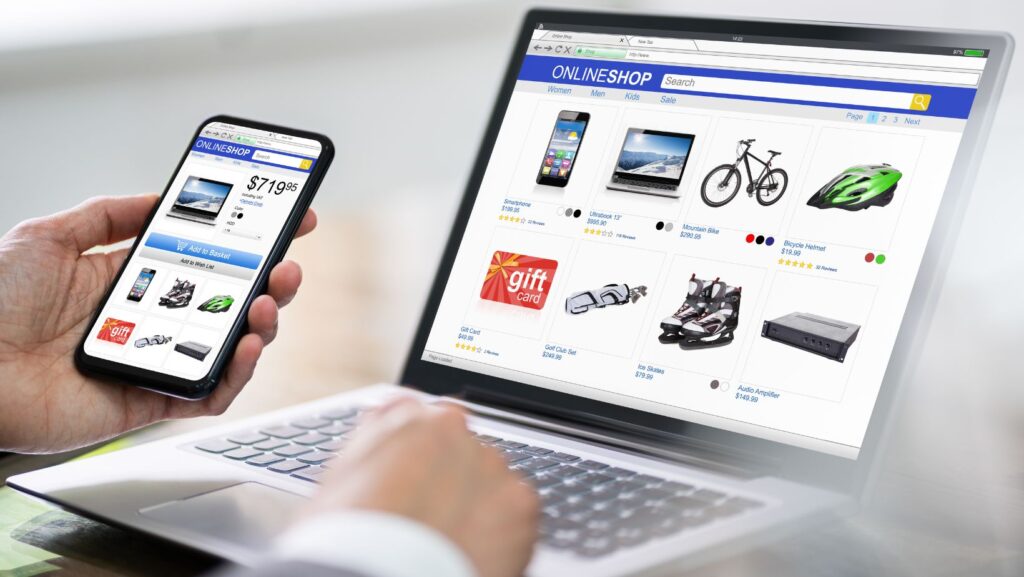
Small businesses must have a strong online presence. You can design and manage your website and online store using website builders and e-commerce systems.
Wix: Wix is a simple website builder with a drag-and-drop interface, customizable templates, and many third-party apps. It’s appropriate for small businesses that want an attractive website but don’t have any coding skills.
WordPress: WordPress is a versatile content management system (CMS) that runs a large percentage of websites. WordPress can meet a wide range of business requirements thanks to its extensive plugin ecosystem and customizable themes.
Shopify: Shopify is an e-commerce platform that allows businesses to build and run online stores, including features such as inventory management, payment processing, and marketing tools. Shopify is well-known for its simplicity and scalability.
9. Point of Sale (POS) System
A POS system streamlines your sales process and provides useful insights by managing transactions, tracking sales, and generating reports.
Square: Square is a simple POS system with features such as inventory management, invoicing, and customer management. It’s a good solution for small businesses with physical locations or mobile sales.
Lightspeed Retail (formerly Vend): Lightspeed bought Vend in 2021, and Vend is now part of Lightspeed Retail. This cloud POS system offers inventory management, customer loyalty programs, and reporting, and it’s a strong choice for retail stores with large or complex inventories.
Shopify POS: Developed for businesses that use Shopify’s e-commerce platform, Shopify POS allows for seamless integration of online and in-person sales. Inventory management, customer profiles, and analytics are all included.
10. Social Media Management

Small businesses must manage their social media presence. Social media management tools aid in the scheduling, publishing, and analysis of content across many channels.
Hootsuite: Hootsuite is a popular social media management application that allows you to schedule, monitor, and analyze your posts across several platforms. Its extensive feature set makes it an excellent choice for growing businesses.
Buffer: Buffer is a simple solution for scheduling and publishing social media content, with a free plan for getting started. It also provides metrics to assist you in optimizing your content and tracking performance.
Sprout Social: Sprout Social offers capabilities for social media management, analytics, and customer engagement. The single platform makes managing several social profiles and engaging with your audience simple for small businesses.
11. Security and Antivirus Software
It is critical to protect your company from cyber threats. Security and antivirus software protect your devices and data from malware, viruses, ransomware, and other online threats.
Norton Small Business: Norton provides small business security, including antivirus, malware protection, and firewall features. It is well-known for its dependable performance and is easy to set up without an IT department.
Microsoft Defender for Business: Microsoft Defender for Business is endpoint security built for businesses with up to 300 employees. It protects Windows, Mac, iOS and Android devices against ransomware and other attacks and costs $3 per user per month on its own. It’s also included in Microsoft 365 Business Premium.
Avast Business: Avast Small Office Protection protects up to 10 devices with antivirus, firewall, and other security tools. It is a simple choice for very small offices, and Avast also offers free antivirus for personal use.
12. Cloud Storage and Backup
Small businesses require the ability to store, share, and access files from anywhere. Cloud storage services offer a safe and simple way to save and back up your data.
Google Drive: Google Drive, which is part of Google Workspace, provides cloud storage, file sharing, and real-time collaboration functions. Its connection with Google Workspace makes it an attractive choice for businesses that use Gmail, Docs and Sheets.
Dropbox: Dropbox is a prominent cloud storage service that offers file syncing, sharing, and collaboration capabilities. It is well-known for its ease of use and works with a wide range of platforms and devices.
Microsoft OneDrive: Microsoft OneDrive is a cloud storage solution that is built into Microsoft 365. It supports file syncing, sharing, and collaboration, making it an excellent choice for businesses that use Word, Excel and Outlook.
Small Business Tools FAQ
What tools does every small business need?
Most small businesses need an office suite, accounting software, a way to communicate with customers (email marketing and a CRM), a website, and security software. Depending on your business, you may also need project management, inventory, POS, social media and cloud storage tools.
What are the best free tools for a small business?
Several tools on this list have free versions, including LibreOffice, HubSpot’s free CRM, Mailchimp’s free plan, Brevo’s free plan, Trello, Slack and Buffer. Free plans have limits, so check what’s included before you build your business around one.
Should I use Microsoft 365 or Google Workspace?
Both are excellent. Microsoft 365 is a good fit if your team already uses Word, Excel and Outlook or works with clients who do. Google Workspace is a good fit if you want simple browser-based tools and easy real-time collaboration. Both now include or offer AI assistants.
Is QuickBooks Desktop still available?
Intuit stopped selling most QuickBooks Desktop versions, including Pro Plus, Premier Plus and Mac Plus, to new U.S. customers after September 30, 2024, according to QuickBooks support. Existing subscribers can keep renewing, and QuickBooks Desktop Enterprise is still sold. New small businesses typically choose QuickBooks Online.
How do I choose the right small business tools?
Start with your biggest problem, like late invoices or missed customer follow-ups, and pick a tool that solves it. Choose tools that integrate with each other, take advantage of free trials, and avoid paying for features you won’t use.
Final Thoughts
Choosing the appropriate small business tools is critical for streamlining processes and enhancing productivity.
You can uncover software solutions geared to your company’s specific needs by investigating and comparing the possibilities within each area.
Note that your exact requirements may change as your business expands, so review your software options on a regular basis to ensure they continue to serve you well.
Bio:

Ronnie Patterson
Ronnie Patterson, founder of MagnÜron, is a multifaceted entrepreneur with a diverse background in music, electronics engineering, and engineering management. Drawing on experience across various industries, He offers expertise in SEO, operations, and strategy to help businesses thrive. Possessing a unique perspective and unwavering commitment to collaboration, and ideal partner for growth and success.